Regulated 5V only
Use a USB battery bank, never the 12V output.


Spirit factory electronics
Hasbro 1984 / Spengler wand control for the factory Spirit pack
This version connects SpiritBro to the original Spirit electronics, powers the board and wand from regulated 5V USB, and lets the wand control pack startup, shutdown, and optional firing sounds.
Use a USB battery bank, never the 12V output.
Prepare the original red and black power leads.
Control pack power behavior and firing audio.
Before you begin
This version has been tested with Spirit factory electronics through the end of 2024. Compatibility with 2025 revisions is not confirmed.
Installation
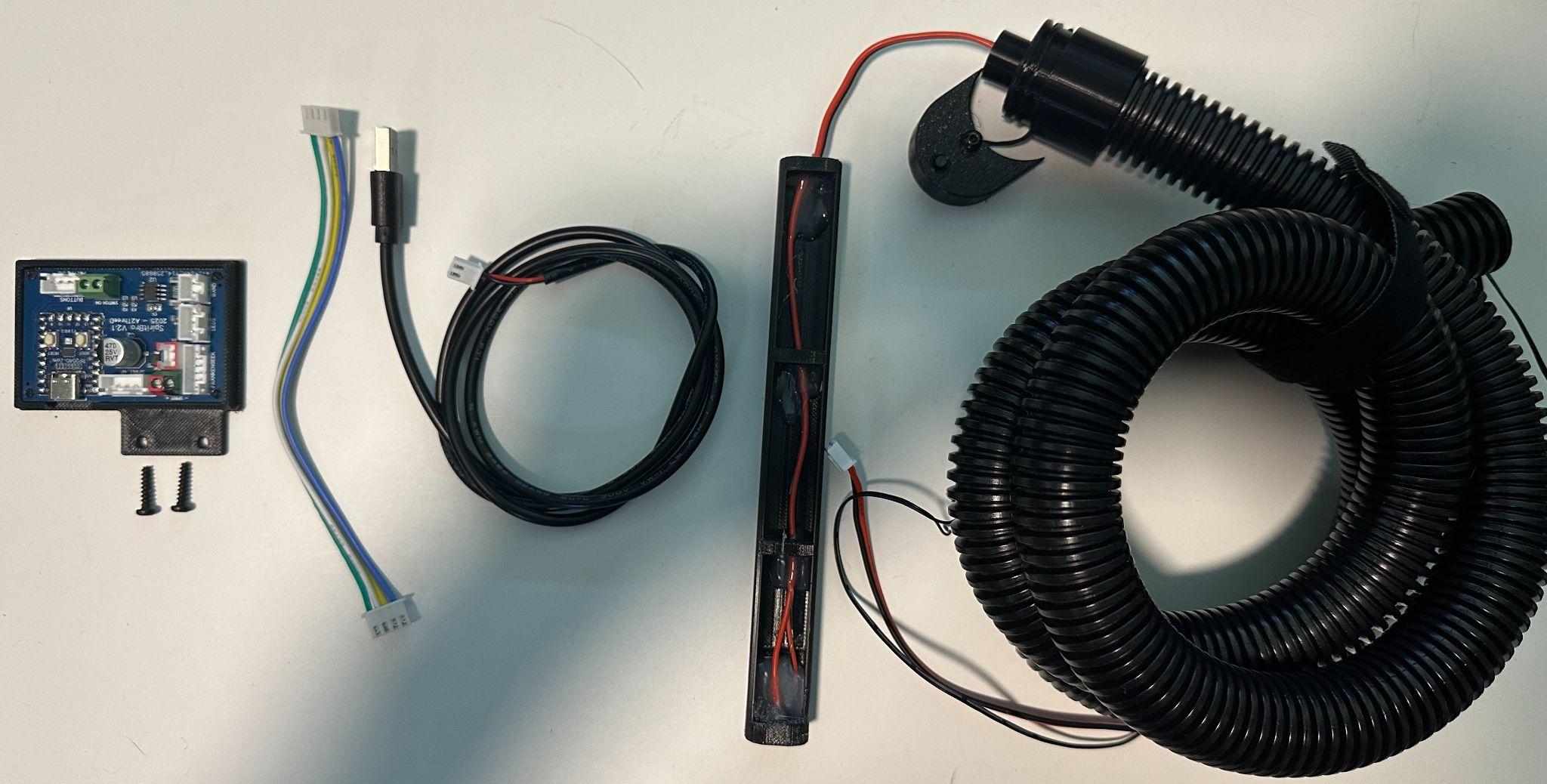
Remove the black back padding, then remove the six motherboard screws. Carefully soften any factory hot glue with a hair dryer or heat gun.
Remove the AA batteries. Cut the red and black battery-pack leads about 6–8 inches above the factory board and strip about 1/4 inch of insulation.
Unplug the wand hose’s 4-pin JST-XH connector, remove its retaining screw and hot glue, then gently pull the factory hose and wiring out.
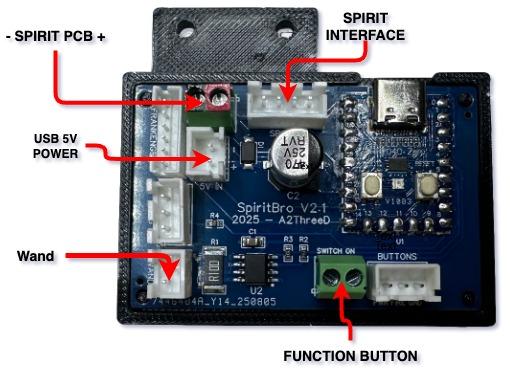
Open the green terminals labeled - SPIRIT +. Insert black into - and red into +, with no stray copper exposed.
Mount SpiritBro over the factory board using the supplied screws without overtightening. Connect the 4-pin cable to SPIRIT 4P and connect the USB cable to 5V IN.
Route the new hose carefully. Connect the wand lead to WAND and optional button wires to SWITCH ON. Install the battery eliminator sled and end cap in the wand.
Operation
These instructions apply to SpiritBro Universal firmware V1.01 or newer. SpiritBro turns on whenever regulated 5V power is applied.
| Wand action | Pack behavior |
|---|---|
| 30-second wand sleep timeout | Pack shuts down |
| Turn on all three toggles in order: lower right, upper right, lower left Activate | Pack starts up |
| Turn the toggles on in another order | No effect until the required sequence occurs |
| Turn off lower-left Activate | Pack shuts down |
| Toggle upper-right switch | No effect |
| Turn off lower-right switch | Pack shuts down |
| Wand overheats or turns off | Pack shuts down |
| Change video-game mode, power level, or barrel position | No effect |
Known behavior: Turning off the lower-left switch can briefly trigger firing before shutdown. Adjusting the power knob can occasionally cause a false startup.
Status and controls
Long press • 1 second+
Disable or re-enable pack startup and shutdown from the wand. The mode resets when SpiritBro power is cycled.
Single click
Manually send the power on/off signal if the pack and wand get into an unexpected state.
Double click
Enable or disable Spirit pack firing sounds alongside the wand. This preference is saved in memory.